
Jio Lottery Register: Account Setup and Sign-Up Help
Before using a Jio Lottery register page, check which website you are joining. Several sites use this name, and a similar logo does not mean they belong to the same operator.
If you already created an account, check your login or password-recovery options first. A second registration may complicate access, especially if the service restricts duplicate accounts.
This guide covers the checks to make before signing up, the fields you may encounter and common registration problems. The exact form and eligibility requirements depend on the website.
Before You Create an Account
Look for the operator’s identity, terms and privacy policy before entering personal information. You should be able to understand who collects your details, why they need them and how to contact them about an account problem.
Searches for how to participate in Jio Lottery usually lead to a sign-up page. Completing a Jio Lottery register form creates an account with that one website, not with Reliance Jio or a central lottery.
Check eligibility for the service and the activity you intend to use. An age checkbox or a form accepting your number does not establish that participation is legally permitted where you live.
Pause if the registration page does not explain who operates the website. The Jio name alone does not establish a connection with Reliance Jio.
Check Whether You Already Registered
A saved password, an earlier verification message or an account confirmation may help you identify an existing account. Keep the original website address available.
If the form says your number is already registered, use account recovery on the verified website. Do not immediately enter another number to get around the message.
What You May Need for Jio Lottery Registration
Different websites may request different information. Do not assume every form using the Jio Lottery name follows the same process.
| Possible field | What to check |
|---|---|
| Mobile number or email | Use details you control and can access later |
| Password | Create a unique password that you do not use elsewhere |
| Confirm password | Enter the same password again |
| Verification code | Enter it only in the verified process that requested it |
| Invitation code | Check whether it is optional and what it does |
| Terms agreement | Read the eligibility, account and privacy conditions |
Identity verification may be a separate process. Before uploading documents, establish who is requesting them and how they will be handled. Do not send document photos to an unverified private contact.
How to Complete the Registration Form
Use this general process only after checking the operator and your eligibility. The field names and order may differ on the page you see.
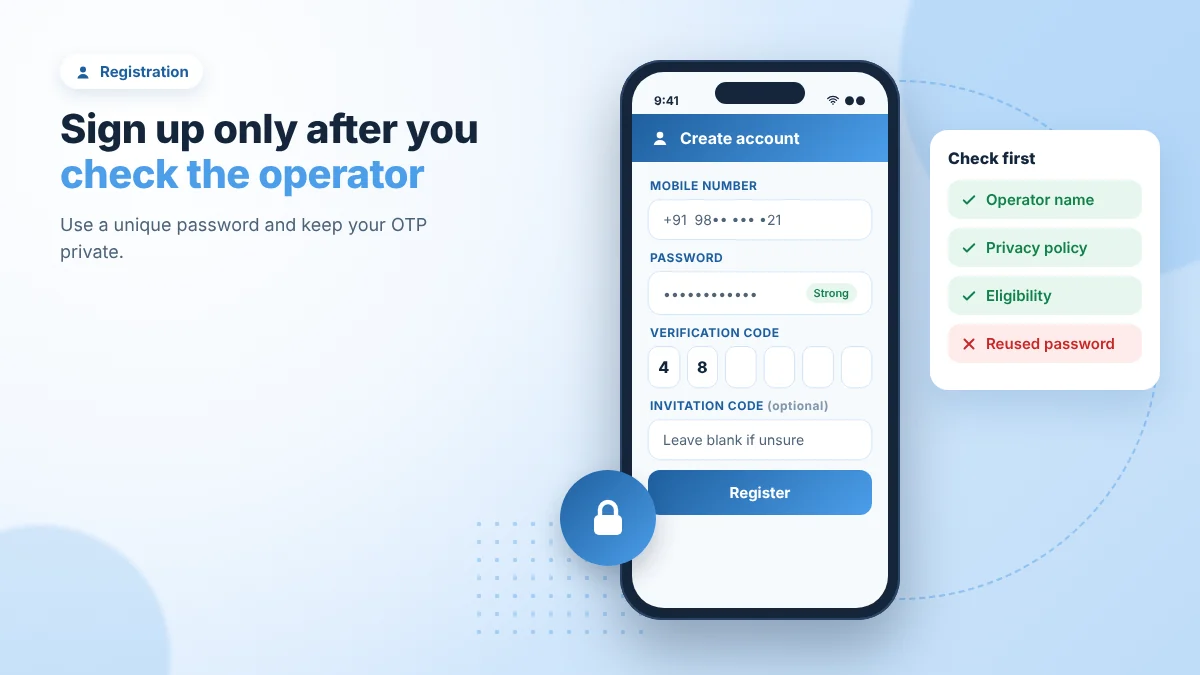
- Check the website address. Compare it with the service you intended to join. Avoid relying on a forwarded link alone.
- Open the registration form. Read the requirements before filling it in.
- Enter your contact details carefully. Check the country code and remove accidental spaces.
- Create a unique password. Follow the form’s stated requirements and keep it in a password manager.
- Complete verification if requested. Enter the code only into the verified page or app process you started.
- Review any invitation field. Do not assume it is mandatory or guarantees a reward.
- Read the terms before submitting. Check account restrictions, privacy information and eligibility.
- Wait for a clear response. Look for confirmation or an error message before submitting the form again.
If the page freezes after submission, check whether an account was created before starting over. A repeated click can leave you unsure which attempt succeeded.
Choosing a Password You Can Keep Secure
Use a password that is different from your email, banking and other gaming passwords. A long, randomly generated password stored in a password manager reduces the need to remember or reuse it.
Never share the password with an agent, referrer or support contact. Someone offering to register on your behalf should not control your account credentials.
Avoid saving passwords on shared devices. If you use a shared computer, sign out and do not allow the browser to remember your login.
Is an Invitation Code Required?
That depends on the form and the operator’s published rules. Check whether the invitation field is marked as required and whether the registration instructions explain it.
A referral code may connect your account to the person who supplied it. Read any associated terms before using it. The presence of a code does not establish that you will receive a bonus or withdrawable money.
This page does not provide a verified invitation code or registration reward.
Jio Lottery Registration Problems
Read the exact error before changing your details. A phone-number error, a missing verification code and a page that will not load need different checks.
Your Number Is Already Registered
First confirm that you are on the intended website. If you recognise the service, try its password-recovery process.
If you never created the account, do not try to access someone else’s information. Ask the verified support channel how it handles a disputed or previously used number.
The OTP Has Not Arrived
Check the number and country code shown on the form. Confirm that your phone can receive ordinary messages and review any blocked-message folder.
If the page shows a resend timer, wait until it allows another request. Multiple requests can make it difficult to identify the current code. Do not give a code to someone who says they can finish registration for you.
The Verification Code Is Rejected
Use the most recent code associated with your current request. Check for typing errors and whether the page says the code has expired.
If you requested several codes, avoid trying each one repeatedly. Follow the page’s resend instructions once you are sure the number is correct.
The Form Rejects Your Password
Read the password requirements displayed beside the field. Check the confirmation entry and remove accidental spaces.
Do not solve the problem by choosing a password you already use for another account. Create a new one that meets the stated requirements.
The Register Button Does Nothing
Look for a missed field, an unchecked agreement or an error above the button. If the page still does not respond, check your connection and try reloading once.
Do not install an unfamiliar APK simply because someone claims the website form is broken. If you see a restriction message, investigate the restriction rather than trying to bypass it.
After Registration
If registration succeeds, keep the account identifier and website address somewhere private. Check whether the contact details are correct and whether recovery options are available.
Account creation does not confirm that the operator is licensed, that advertised games are available or that withdrawals will be paid. Read the relevant terms separately before making any financial decision.
If a welcome message displays a reward, check whether it is promotional credit and what restrictions apply. A number on the screen is not proof of cash you can withdraw.
Protecting Your Account During Sign-Up
Do not pay a private person to complete registration, activate an account or release a sign-up reward. Verify any payment request against the identified operator’s terms.
Be cautious if someone asks you to share your screen or install remote-access software during registration. They may gain access to messages, passwords or financial information visible on your device.
If you entered credentials on the wrong website, change any reused passwords promptly. If payment information was exposed, contact the relevant payment provider.
Frequently Asked Questions
How do I register for Jio Lottery?
First verify the website and operator. Then follow that website’s registration requirements. The general steps above explain common fields without confirming a particular service’s form.
Can I register without an invitation code?
Check the form and published instructions. A code may be optional, required or unavailable, depending on the website. Do not rely on a third party’s claim alone.
Why does it say my phone number is already used?
An account may already exist, or the number may have been used previously. Confirm the website, then use recovery or verified support rather than opening another account immediately.
What should I do if the OTP does not arrive?
Check your number, country code, message reception and blocked messages. Follow any resend timer shown on the page.
Can I create more than one account?
Read the operator’s account rules. Do not assume multiple accounts are allowed or use another number to bypass a restriction.
Does registration guarantee a bonus?
No reward is confirmed by this guide. Any advertised offer needs clear eligibility rules and conditions. Promotional credit may have withdrawal restrictions.
Do I need to download an APK to register?
That depends on the service. No APK requirement has been verified here. Do not install an unfamiliar file merely to complete a form.
Is a successful registration proof that the service is legal?
No. A working registration form does not establish legal permission, licensing, brand affiliation or payment reliability.
Before Submitting Your Details
A Jio Lottery register page should give you enough information to identify the service and understand its account requirements. If ownership, eligibility or privacy terms remain unclear, resolve those questions before sharing personal information.
For an existing account, use the login or recovery process belonging to that account. Keep control of your contact details, password and verification codes throughout.