
Jio Lottery for iOS: iPhone Access and App Checks
An Android APK cannot be installed as an iPhone app. If you are searching for a Jio Lottery iOS download, first check whether an identifiable publisher provides a genuine iPhone app.
No verified Jio Lottery App Store listing is confirmed in this guide. If your existing account website supports mobile browsers, you may be able to access it through Safari without installing a separate app.
The sections below explain how to check that option, add a website shortcut and investigate common iPhone problems. Compatibility depends on the particular service.
Is There a Jio Lottery App for iPhone?
A dedicated iOS app has not been independently verified for the websites reviewed. This page therefore does not provide an iPhone installer, app version, file size or minimum iOS requirement.
A Jio Lottery app download offered as an APK is built for Android. iPhone users usually reach a Jio Lottery game online through Safari instead.
A button labelled “Download for iOS” does not establish that a genuine app exists. Check the publisher’s identity, the distribution source and how the app relates to the website where you registered.
The same name can appear on unrelated websites or apps. Matching icons are not enough to confirm that your account belongs to them.
Why the Android APK Will Not Work
An APK is an Android application package. iPhones use a different application system, so opening an APK in Safari will not install it as an iOS app.
Renaming the file or downloading another copy does not change its compatibility. Avoid services promising to convert an unknown APK into a working iPhone app.
Using Jio Lottery Through Safari
Browser access depends on whether your account provider supports it. A website loading on an iPhone does not guarantee that every account function will work correctly.
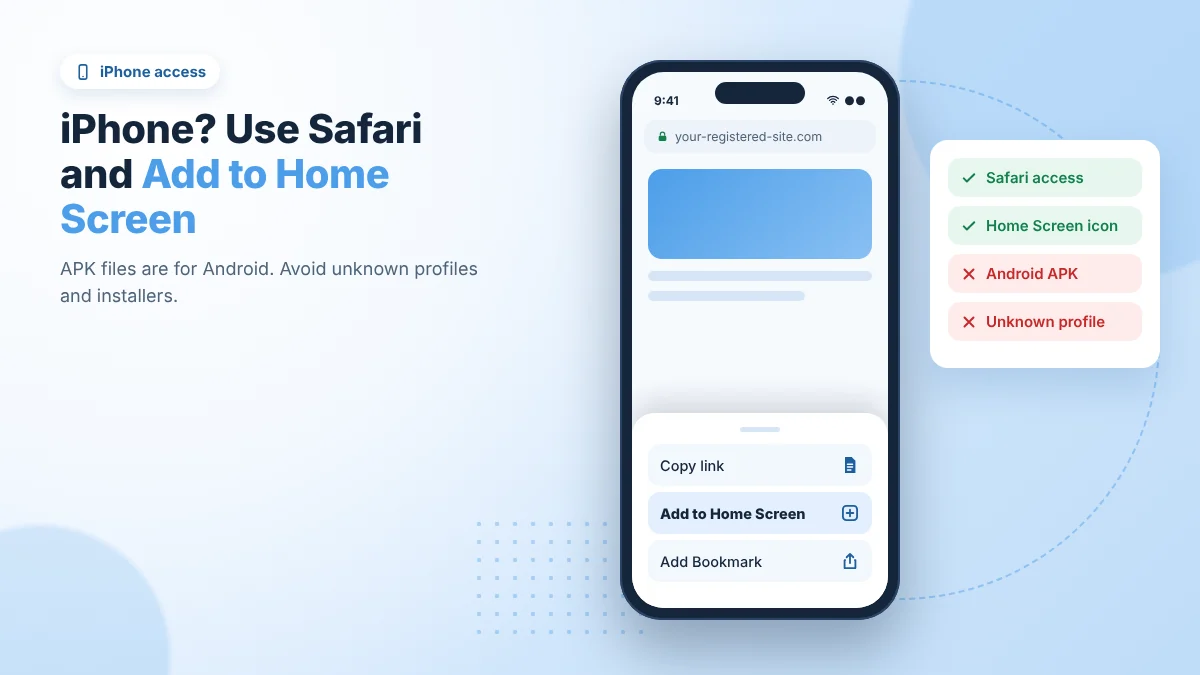
For an existing account:
- Open Safari. Enter the address associated with your registration.
- Check the full address. Compare it with your saved records before entering credentials.
- Read any browser warning. Do not continue through a security or certificate warning without investigating it.
- Open the login form. Use the account identifier requested by that service.
- Complete verification if needed. Enter codes yourself in the process you started.
- Confirm the account shown. Check the account ID and records before taking further action.
If the website does not support iPhone access, do not assume a different domain or an unfamiliar installer will solve the problem.
Add a Website to Your iPhone Home Screen
After verifying the website, you can add an icon for quicker access through Safari.
- Open the intended website in Safari.
- Open the Share menu. Depending on your Safari layout, this may be inside the page menu.
- Choose Add to Home Screen.
- Check the displayed name and destination.
- Tap Add.
The exact menu layout can vary with the iOS version. Some versions also offer an Open as Web App option.
A Home Screen icon gives you a route back to the website. It does not establish that you installed an independently verified native app, and it does not confirm the operator’s legitimacy.
What About iPad?
An iPad uses iPadOS. If the account website supports its browser, you may be able to use the same web-based account there.
A larger display may make records easier to read, but compatibility still needs checking. Some mobile-focused pages may show awkward spacing or controls that do not fit properly.
No dedicated Jio Lottery iPad app or minimum iPadOS requirement is confirmed here.
Before Accepting an iOS Installation Request
A request to install a configuration profile or trust an unfamiliar developer needs scrutiny. It is a different action from adding a website icon to the Home Screen.
Do not change device security settings simply because a page says this is required to activate your account. First establish who issued the instructions and what the installation will do.
Do not provide your Apple Account password, device passcode or verification codes to a person offering installation help. A private contact should not need control of your phone to resolve a gaming account problem.
If the phone belongs to your employer or school, consult its administrator before changing management settings or removing profiles.
Jio Lottery Login Problems on iPhone
The Website Opens but Login Fails
Compare the address with the one used when registering. Then check the account identifier, country code and saved password.
Autofill may hold an old password or an entry for another website. If you cannot recover access after checking the details, use the recovery process belonging to that account.
Do not register again merely because the iPhone login failed. A new account will not restore the original account’s records or balance.
The OTP Does Not Arrive
Check the number shown by the login form and confirm that your phone can receive ordinary messages. Review filtered or blocked messages if appropriate.
Follow any resend timer displayed by the service. Repeated requests can make it harder to identify the code for the current attempt.
Never forward an OTP to someone claiming they can finish the login for you.
Safari Keeps Returning to the Login Screen
Close duplicate tabs and try again in one tab. Note whether the page displays an error or simply reloads.
Removing data for the affected website may clear a broken session, but it can also sign you out and remove stored preferences. Confirm your recovery details before doing so.
Do not disable privacy protections broadly just because an unknown support contact asks you to. Ask the identified operator which browser settings its service actually requires.
Display and Connection Problems
Buttons Are Hidden or the Page Looks Cut Off
Try returning the page zoom to its normal setting. Where suitable, rotating the device may help you inspect the layout.
If a payment amount, recipient or confirmation button remains hidden, stop before submitting. A display problem is not a reason to approve details you cannot review.
The Page Will Not Load
Check whether another website opens. If it does, confirm the account address and read the specific error shown.
A network problem, browser warning and service restriction require different responses. Do not use a replacement domain from a private message or attempt to bypass a stated restriction.
The Page Freezes During a Transaction
Check the existing deposit or withdrawal record before repeating the action. A frozen screen does not establish whether the request was submitted.
Keep the transaction reference and any confirmation already received. Do not send another payment simply to test whether the page now works.
Using the Same Account on iPhone and Android
Shared account access depends on the service’s supported methods and session rules. This guide does not confirm that all websites or apps using the Jio Lottery name share accounts.
Compare the service address and account ID on both devices. If the records do not match, investigate before making changes or adding funds.
Changing phones does not require you to give anyone your password or verification codes. Use the operator’s documented recovery process if access is lost.
Keep Your iPhone Account Access Private
Avoid saving account credentials on someone else’s device. Sign out after using a shared iPhone or iPad, and check whether screenshots or downloaded receipts remain.
Read notification permission requests before accepting them. A website asking to send alerts does not establish that those alerts are necessary for account access.
Device security also has limits: an iPhone cannot establish that a website’s operator is authorised, its games are fair or its payments are reliable.
Frequently Asked Questions
Can I download Jio Lottery on iPhone?
No verified iPhone app is confirmed here. Check for an identifiable publisher and a genuine distribution source before trusting an iOS download claim.
Can I install the Jio Lottery APK on iOS?
No. An Android APK does not install as an iPhone app.
Can I use Safari instead?
Only if the particular account website supports browser access. Loading its homepage does not confirm that every function is compatible.
Is a Home Screen icon the same as an App Store app?
No. The icon may open a website or web app. Adding it does not verify the operator or create a native App Store application.
Will the same account work on my iPhone?
That depends on the service. Confirm that you are using the same account provider and its supported access method.
Should I install a profile to activate the account?
Do not install an unfamiliar profile based only on that claim. Verify the issuer, purpose and requested changes first.
Can iPhone access fix a pending withdrawal?
Changing devices does not establish that a payout will be released. Investigate the original withdrawal record and request a traceable payment reference where appropriate.
Check the Source Before Installing
For Jio Lottery on iOS, first establish whether your existing account website supports Safari. An Android download is not an iPhone installation option.
If a claimed iOS app has no identifiable publisher or clear connection to your account, pause before downloading anything or changing device settings.